For appliance repair
Built around the diagnostic, the part, and the invoice
MyObra started with one appliance repairman and a folder of loose paperwork in the back of a car. Every screen was tested against a real repair day.
Book a 30-minute demo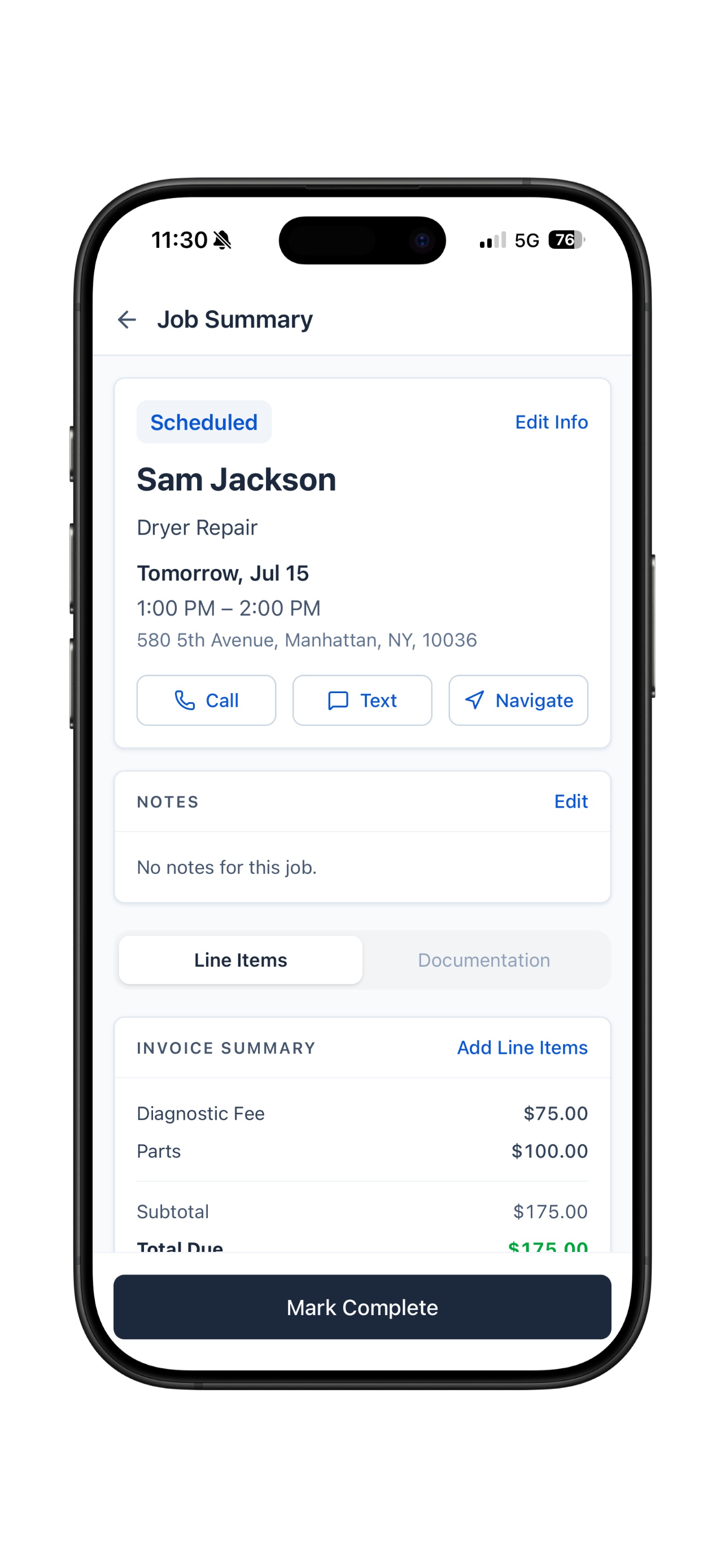
A repair job isn't one flat price. There's what you charge to find the problem, what the part costs, and the labor to put it back together. MyObra keeps those as separate lines on the same invoice, so the customer can see what they paid for and you can see what you actually made.
The diagnostic and the part are separate lines
Charge the diagnostic when you open the machine, then add the part once you know what it needs. Both land on the same invoice, itemized, so nobody argues about the total.
A liability waiver you can switch on
You're pulling a refrigerator across somebody's kitchen floor. Turn the waiver on for the job and get it signed before you start, so what you're on the hook for is in writing before anything gets moved.
Photos stay on the job, not in your camera roll
Attach the model and serial plate, the failed part, the machine back together. They sit on the job where you can find them, not buried in three months of pictures.
Know whether a callback is on your warranty
Whatever you guarantee on your labor and your parts, the question when they call back is the same: did I touch this machine, when, and what did I do to it? The full job history sits on the client, so you know before you get in the car.
Same app in English or Spanish, whichever one the customer on the phone speaks.
Run your service business with less admin.
Keep the job details together and the paperwork moving.
Book a demo to see MyObra in action.